WordPress SEO for Beginners in 2026: The Complete Checklist to Rank Higher on Google
If you’re building a website with WordPress, you’ve already taken a great first step toward creating an SEO-friendly online presence. WordPress powers over 40% of websites worldwide and is widely recognized for its flexibility and search engine optimization capabilities. However, simply installing WordPress doesn’t guarantee higher rankings on Google. To attract organic traffic and improve visibility, you need to follow a structured SEO strategy.
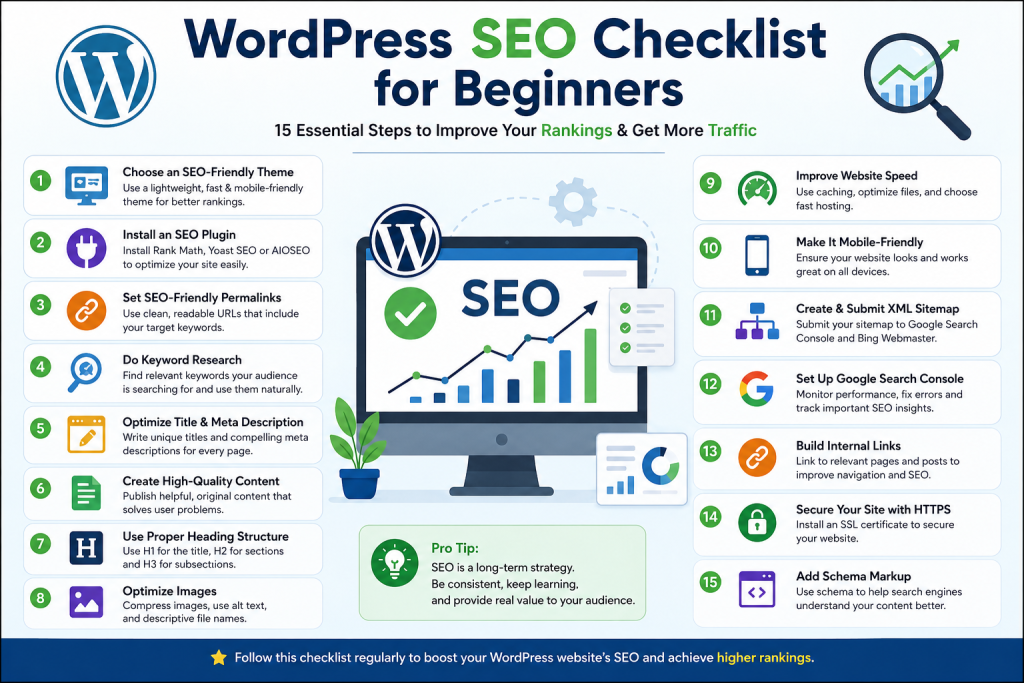
This WordPress SEO Checklist for Beginners covers the essential steps you should implement to improve your website’s rankings, user experience, and overall performance.
1. Choose a Fast and SEO-Friendly WordPress Theme
Your website theme affects loading speed, mobile responsiveness, and user experience. A lightweight and well-coded theme helps search engines crawl your website more efficiently.
When selecting a theme, look for:
- Mobile-responsive design
- Fast loading speed
- Clean coding structure
- Regular updates
- Compatibility with SEO plugins
Avoid bloated themes with unnecessary features that can slow down your website.
2. Install a Reliable SEO Plugin
SEO plugins simplify optimization and help beginners manage technical SEO without coding knowledge.
Popular SEO plugins include:
- Rank Math SEO
- Yoast SEO
- All in One SEO
These tools help optimize title tags, meta descriptions, XML sitemaps, schema markup, and social media settings.
3. Configure SEO-Friendly Permalinks
WordPress allows you to customize your URL structure. Search engines and users prefer clean, readable URLs.
Bad URL:yourwebsite.com/?p=123
Good URL:yourwebsite.com/wordpress-seo-checklist
To change permalink settings:
Dashboard → Settings → Permalinks → Post Name
SEO-friendly URLs improve readability and keyword relevance.
4. Perform Keyword Research
Before creating content, understand what your audience is searching for.
Use tools such as:
- Google Keyword Planner
- Ubersuggest
- Ahrefs
- SEMrush
- Google Search Suggestions
Focus on long-tail keywords because they usually have lower competition and higher conversion potential.
For example, instead of targeting “SEO,” target “WordPress SEO checklist for beginners.”
5. Optimize Title Tags and Meta Descriptions
Your title tag is one of the most important ranking factors.
Best practices:
- Include the target keyword
- Keep titles under 60 characters
- Make them attractive and clickable
Meta descriptions should:
- Summarize the page content
- Include keywords naturally
- Stay within 150–160 characters
A compelling title and meta description can significantly improve click-through rates.
6. Create High-Quality Content
Content remains the foundation of successful SEO.
When writing blog posts:
- Solve real user problems
- Use simple language
- Add examples and statistics
- Structure content with headings
- Keep information updated
Google prioritizes content that demonstrates expertise, authority, and trustworthiness.
7. Use Proper Heading Structure
Headings help both readers and search engines understand your content.
Recommended structure:
- H1 for the main title
- H2 for major sections
- H3 for subsections
Avoid using multiple H1 tags on a single page.
A well-structured article improves readability and SEO performance.
8. Optimize Images for SEO
Images improve engagement but can negatively affect speed if not optimized.
Before uploading images:
- Compress file sizes
- Use descriptive file names
- Add keyword-rich alt text
- Use WebP format whenever possible
Example:
Bad: image123.jpg
Good: wordpress-seo-checklist-guide.webp
Image optimization helps improve page speed and accessibility.
9. Improve Website Speed
Page speed is a confirmed ranking factor and directly affects user experience.
Ways to improve speed:
- Choose quality hosting
- Enable caching
- Compress images
- Remove unused plugins
- Use a CDN (Content Delivery Network)
- Minify CSS and JavaScript files
A faster website leads to lower bounce rates and better rankings.
10. Ensure Mobile-Friendliness
Most online searches now happen on mobile devices. Google’s mobile-first indexing means it primarily evaluates your mobile version when determining rankings.
Check that your website:
- Adapts to different screen sizes
- Loads quickly on mobile devices
- Has easy-to-click buttons
- Displays readable text without zooming
A mobile-friendly website improves both SEO and user satisfaction.
11. Create and Submit an XML Sitemap
An XML sitemap helps search engines discover and index your content efficiently.
Most SEO plugins automatically generate a sitemap.
Submit it through:
- Google Search Console
- Bing Webmaster Tools
This increases the chances of your pages being indexed quickly.
12. Set Up Google Search Console
Google Search Console is one of the most valuable free SEO tools available.
It helps you monitor:
- Search performance
- Keyword rankings
- Index coverage
- Mobile usability
- Technical SEO issues
Regular monitoring allows you to identify and fix SEO problems before they impact traffic.
13. Build Internal Links
Internal linking connects related pages and blog posts on your website.
Benefits include:
- Better website navigation
- Improved crawlability
- Increased page authority distribution
- Longer user session duration
Always link to relevant articles and service pages where appropriate.
14. Secure Your Website with HTTPS
Website security plays an important role in SEO.
Install an SSL certificate to switch from HTTP to HTTPS.
Benefits include:
- Improved trust
- Better user security
- Potential ranking advantages
- Enhanced credibility
Most hosting providers now offer free SSL certificates.
15. Implement Schema Markup
Schema markup helps search engines understand your content more effectively.
Common schema types include:
- Article Schema
- FAQ Schema
- Product Schema
- Local Business Schema
- Review Schema
Schema can improve visibility through rich snippets, increasing click-through rates.
Conclusion
WordPress SEO may seem overwhelming at first, but following a structured checklist makes the process much easier. Start with a fast theme, install a reliable SEO plugin, optimize your content, improve page speed, and focus on user experience. These foundational practices can significantly improve your search engine visibility over time.
Remember that SEO is a long-term investment. Consistent content creation, regular optimization, and staying updated with search engine trends will help your WordPress website achieve sustainable growth. By implementing this beginner-friendly SEO checklist, you’ll be well on your way to attracting more organic traffic, generating leads, and building a successful online presence in 2026 and beyond.